
How to Calculate the Percentage of a Number in Python: A Quick Guide
Calculating percentages is a fundamental task in data analysis, financial applications, and simple automation scripts. If you’re looking for the most efficient way to handle these calculations in Python, you’ve come to the right place.
In this guide, we’ll break down the logic and the code you need to get accurate results every time, from basic math to reusable functions.
The Basic Formula
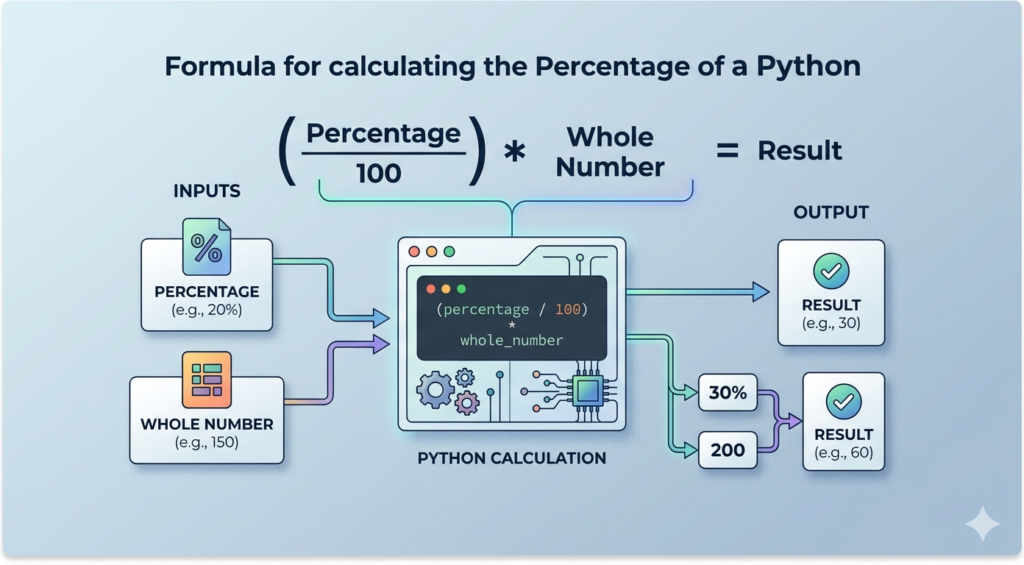
Before we dive into the Python syntax, let’s refresh the basic math. To find the percentage of a number, you use this standard formula:
(Percentage / 100) × Whole Number = Result
In Python, we translate this formula into simple arithmetic operators: / for division and * for multiplication.
Basic Python Syntax for Percentages
Python makes math incredibly straightforward. If you want to find 20% of 150, here is the cleanest way to write it:
percentage = 20
total = 150

# The calculation
result = (percentage / 100) * total

print(f"{percentage}% of {total} is {result}")
Creating a Reusable Percentage Function
If your project requires multiple calculations, it is best practice to wrap the logic in a function. This keeps your code clean and professional.
def get_percentage(percent, whole):
    return (percent / 100) * whole

# Example usage
print(get_percentage(15, 200)) # Output: 30.0
Advanced Scenarios: Percentage Increase and Formatting
1. Calculating Percentage Increase or Decrease
In finance, you often need to find the percentage change between two values (like a stock price or discount).
old_price = 80
new_price = 100

change = ((new_price - old_price) / old_price) * 100
print(f"The price increased by {change}%")
2. Formatting for Clean Output
When dealing with division, you often get long decimals (e.g., 33.3333333). Use Python’s f-strings to round the result to two decimal places for a cleaner look:
value = 33.3333333
print(f"Formatted Result: {value:.2f}%")
# Output: 33.33%
SEO Summary: Why Use Python for Math?
- Automation: Calculate percentages across thousands of rows in a CSV or database instantly.
- Scalability: Perfect for data science and machine learning applications.
- Precision: High-level accuracy for financial reporting.
Common Pitfall: Always ensure your “total” variable is not zero to avoid a ZeroDivisionError in your Python scripts!